How to write AI image prompts: five steps from subject to composition
Organize prompts around the subject, setting, lighting, composition, and details. Includes a product photography example, common questions, and a reusable template.
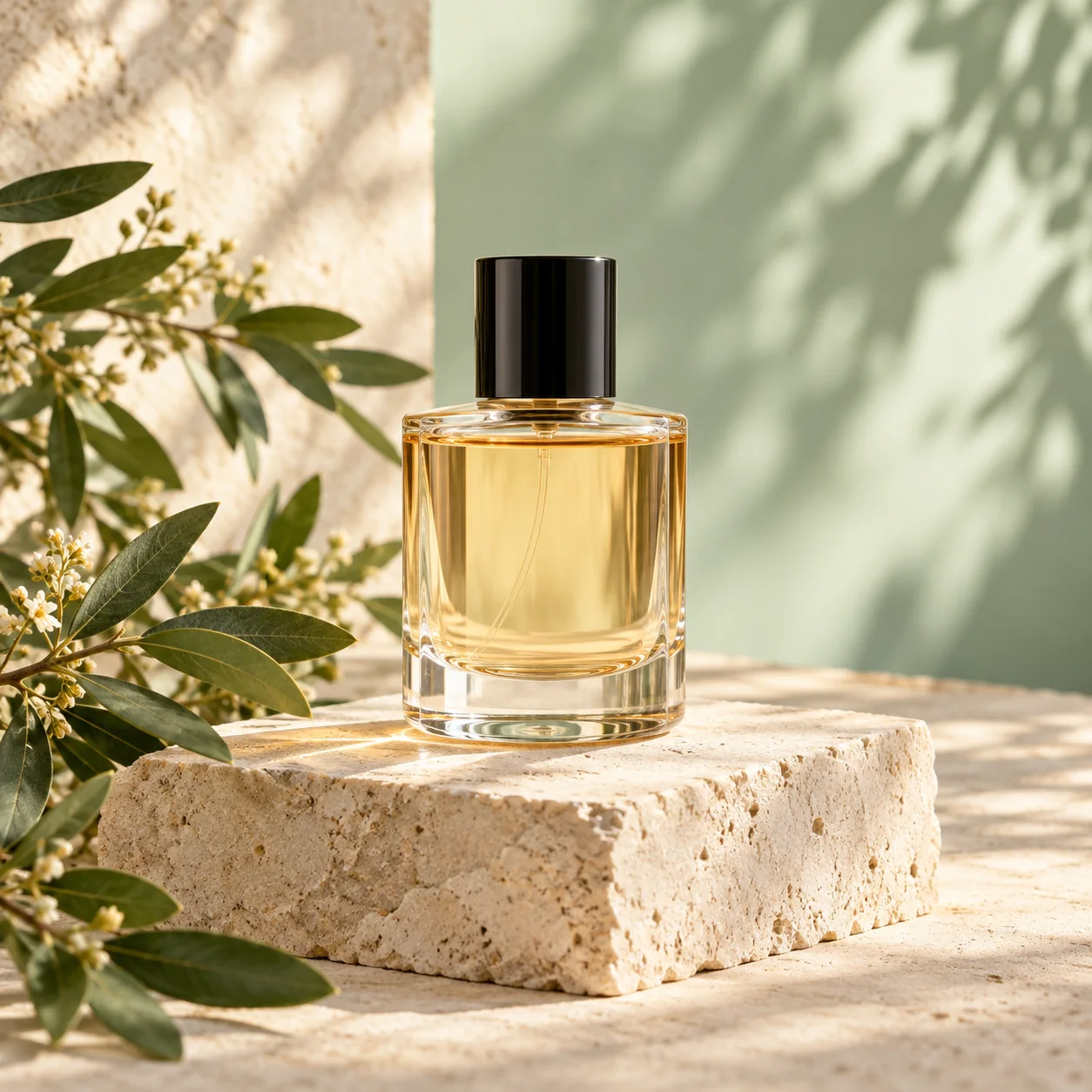
1. Define the main subject
The subject is the most important element in the image. For product photography, start with the product type, shape, color, and material. Avoid several equally prominent objects unless you are creating a group display.
A transparent glass perfume bottle with pale amber liquid and a black cylindrical cap provides more details to check than a luxury perfume bottle. To match a real product, use a reference image you have permission to use.
- Subject: transparent glass perfume bottle.
- Appearance: pale amber liquid and a black cap.
- Completeness: the entire subject, with clear edges.
2. Give the subject a clear setting
Define a background color, placement, or environment. Two or three related elements are enough, such as a pale green wall, beige stone platform, and a plant to the side.
An ecommerce image should make the product stand out. A lifestyle image can include a few objects that explain its use. Avoid crowding a small image with too many props.
3. Set the mood with consistent lighting
Choose one main lighting condition, such as soft window light, even studio lighting, or sunset backlight. Add the direction and desired shadows, for example soft sunlight from the upper right with natural contact shadows.
Avoid combining direct midday sun, shadowless studio lighting, and late-night neon unless you have a specific mixed-light design. Conflicting light directions make results harder to control.
4. Describe the viewpoint, layout, and negative space
Specify a front view, overhead view, close-up, or centered or lowered subject. If you need a title, say where to leave a clean background and add accurate text afterward.
Aspect ratio defines the image shape; resolution defines its dimensions. Consider them separately. 1:1 works for square displays, 16:9 for landscape visuals, and 9:16 for portrait covers. Final dimensions depend on the platform and model.
5. Combine the prompt and check each detail
Use the following product photography prompt as a starting point. Check the subject, color, and setting first, then edges, shadows, and details. Adjusting one or two variables at a time makes the effect easier to understand.
商业商品摄影,一瓶透明玻璃香水,浅琥珀色液体,黑色圆柱瓶盖,置于米色石台与浅绿色背景中。柔和自然侧光,自然投影,真实玻璃材质,主体完整,极简构图,画面无文字、无水印。
- Check structure: are the cap, bottle, and shadows plausible?
- Check text: verify logos and labels individually; add typography afterward if needed.
- Check purpose: a concept image cannot replace factual product information.
Put it into practice
Open related inspiration and start creating with a prompt.